Want a custom-styled Twitch chat overlay on stream? You can style your Twitch live chat with CSS in OBS — no coding — using ready-made themes. This guide shows the cleanest way to do it.
The easiest way to style Twitch chat: Social Stream Ninja
Twitch has a popout chat you can drop into OBS, but the most flexible route is Social Stream Ninja (SSN). SSN pulls your Twitch chat (and 120+ other platforms) into a single overlay, and you style that overlay with a Social Stream CSS file — the same file works whether you stream on Twitch, YouTube, or both at once.
Add a styled Twitch chat overlay in OBS
- In Social Stream Ninja, connect your Twitch channel so real messages flow in.
- Copy the Main chat overlay & control dock URL from the top-right (
https://socialstream.ninja/dock.html?session=…). - In OBS, add a Browser Source and paste that URL (set it to
1920×1080). - Download a Social Stream theme from the Doodlekuma live chat gallery and paste its CSS into the Browser Source’s Custom CSS box.
The full step-by-step (with screenshots) is in How to Use Social Stream Ninja Chat CSS in OBS.
Pick a Twitch chat style
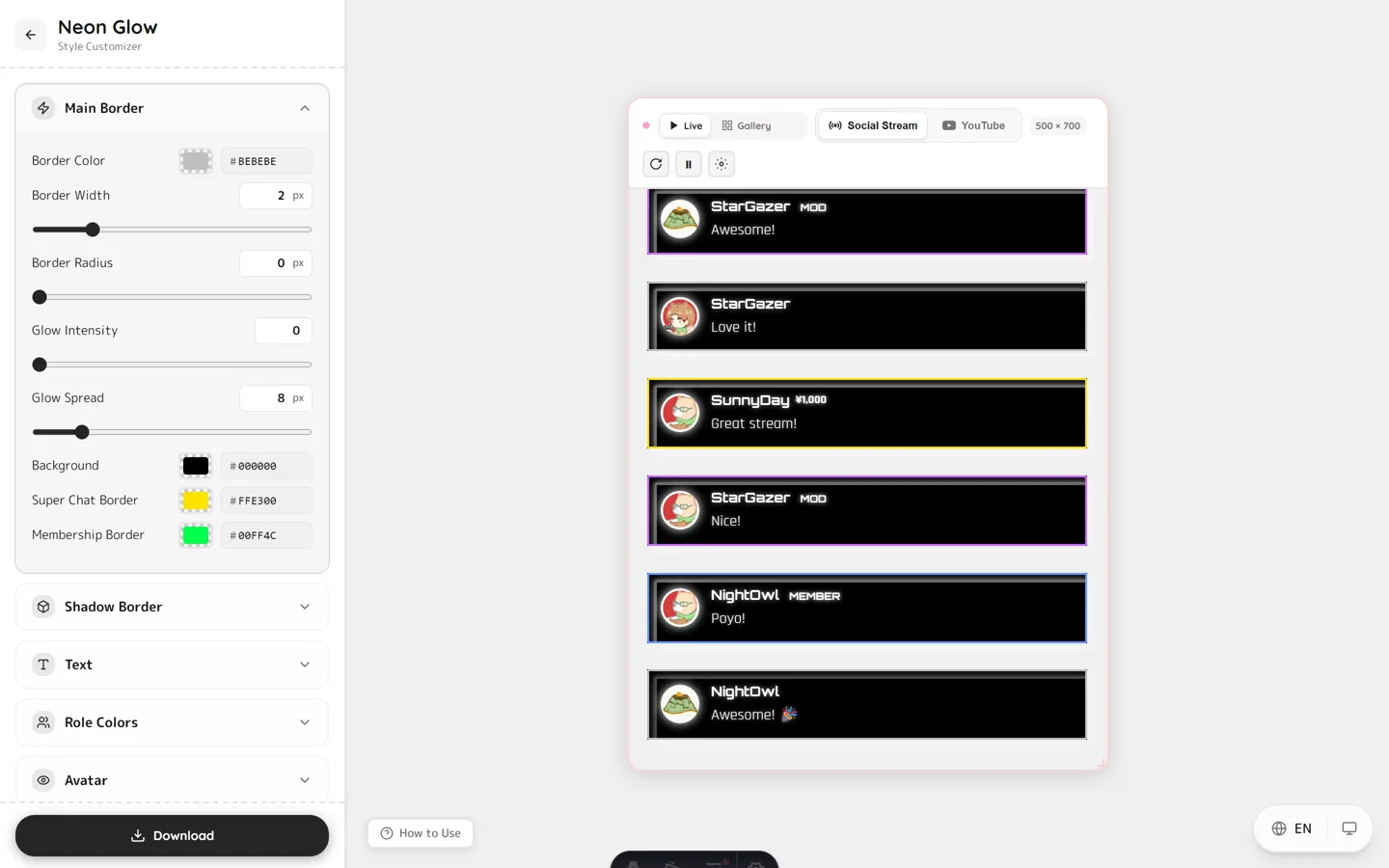
Every theme in the gallery is a live, editable preview, so you can tune colors, fonts and animations before you export. A few that suit Twitch:
- Neon — cyberpunk glow, great for gaming streams.
- Twitter/X style — clean card layout with role badges.
- Stacked notifications — minimal, iOS-style stacked messages.
One overlay, every platform
Because you style the Social Stream overlay, the same Twitch chat CSS also covers:
- YouTube Live, TikTok, Kick and 120+ platforms.
- Multi-streaming — merge Twitch + YouTube chat into one styled overlay.
FAQ
Do I need to know CSS to style Twitch chat?
No. Pick a theme, customize it visually, download the CSS, and paste it into your OBS Browser Source — no coding required.
Does it work with only Twitch?
Yes. Connect just your Twitch channel in Social Stream Ninja and the Social Stream CSS styles that chat.
Can I combine Twitch and YouTube chat in one overlay?
Yes. Social Stream Ninja merges chat from multiple platforms, and a single Social Stream CSS styles them all together.
Does it work in OBS and Streamlabs?
Yes. Any software with a Browser Source and Custom CSS field works, including OBS Studio and Streamlabs.
Ready to give your Twitch chat a custom look? Open the live chat gallery, pick a theme, and style your Twitch live chat overlay in minutes.